Adminer
Содержание:
Бэкап базы данных через PHP-скрипт Adminer
Adminer — бесплатный высокопроизводительный инструмент для управления базами данных MySQL. В отличие от phpMyAdmin, он позволяет восстанавливать резервные копии, расположенные в корневом каталоге сайта, и за счет этого обходить любые ограничения провайдера на размер загружаемых файлов. Еще одним преимуществом скрипта является поддержка PHP версии 7 и выше, что гарантирует стабильную работу практически на любом хостинге. Давайте научимся пользоваться данным приложением.
1. Установка Adminer на сайт
1.1. Загрузите скрипт на свой компьютер с официального сайта https://www.adminer.org/en/ кликнув по кнопке «Download», и сохраните его (выберите самый верхний файл в списке предлагаемых) в любое удобное место на диске вашего компьютера.

PHP-файл имеет название «adminer-номер-версии.php» (в нашем случае это adminer-4.7.1.php). Для удобства дальнейшей работы переименуйте его в adminer.php.
1.2. Скачайте с официального сайта проекта FTP-клиент FileZilla: https://filezilla-project.org/download.php?type=client. Данная программа понадобится нам для загрузки Adminer на сервер. Установите FileZilla на свой компьютер.

1.3. Запустите FileZilla двойным щелчком мыши и подключитесь к серверу по FTP-протоколу, заполнив необходимые поля в верхней части окна и кликнув по кнопке «Быстрое соединение».

Логин и пароль для входа можно получить у вашего хостинг-провайдера. Обычно в поле «Хост» достаточно вписать адрес сайта без префикса http://, либо указать IP-адрес сервера, а поле «Порт» оставляют пустым, так как в этом случае происходит автоматическое подключение к 21-му порту, на котором и функционирует FTP.
1.4. Выберите в блоке «Локальный сайт» (расположен слева) папку, в которую сохранили Adminer, а в блоке «Удаленный сайт» (расположен справа) — корневой каталог вашего сайта. Как правило, он носит название «имя_сайта/public_html», «имя_сайта/www» или «имя_сайта/doc» (в нашем случае — wp01.ru/public_html).

1.5. Выделите файл adminer.php, кликните по нему правой кнопкой мыши и выберите в контекстном меню опцию «Закачать на сервер».

1.6. Дождитесь завершения загрузки. Об успешном окончании процесса сообщит всплывающее окно в системном трее. На этом установка Adminer завершена.

2. Подготовка к созданию резервной копии базы данных

Уточнить имя базы данных, логин и пароль можно у вашего хостинг-оператора. Кроме того, их можно подсмотреть в файле wp-config.php, который располагается в корневой папке сайта. Название базы данных указано в строке define(‘DB_NAME’), логин — в строке define(‘DB_USER’), а пароль — в define(‘DB_PASSWORD’). В нашем примере имя базы данных — это wp01.ru, логин — admin, а пароль — 12345.

2.2. В меню управления базой данных кликните по опции «Экспорт» в левой части экрана.

2.3. Отметьте радиокнопкой опцию «Сохранить», либо «Gzip». В первом случае PHP-скрипт Adminer подготовит для вас резервную копию базы данных в формате SQL, во втором дополнительно заархивирует бэкап, что поможет сэкономить место на диске и защитить файл от повреждения при скачивании (это особенно актуально, если база данных имеет большие размеры). Также убедитесь в наличии галочек в чекбоксах «Таблицы» и «Данные». Остальные настройки рекомендуем оставить без изменений — они рассчитаны на продвинутых пользователей.

3. Создание и загрузка резервной копии базы данных
По завершении всех подготовительных операций кликните по кнопке «Экспорт». После этого Adminer автоматически сформирует резервную копию базы данных и предложит скачать ее на ваш компьютер. Сохраните полученный файл в любом удобном для вас месте.

Features
Adminer support a lot of features. Here’s a list of Adminer features
- Works with MySQL, PostgreSQL, SQLite, MS SQL, Oracle, SimpleDB, Elasticsearch, MongoDB
- Supports PHP 5 with enabled sessions
- Available in 31 languages such as : Arabic, Catalan, Chinese, Czech, Dutch, English, Estonian, French, German, Hungarian, Italian, Japanese, Lithuanian, Persian, Polish, Portuguese, Romanian, Russian, Serbian, Slovak, Slovenian, Spanish, Tamil, Turkish, Ukrainian
- Connect to a database server with username and password
- Select an existing database or create a new one
- List fields, indexes, foreign keys and triggers of table
- Change name, engine, collation, auto_increment and comment of table
- Alter name, type, collation, comment and default values of columns
- Add and drop tables and columns
- Create, alter, drop and search by indexes including fulltext
- Create, alter, drop and link lists by foreign keys
- Create, alter, drop and select from views
- Create, alter, drop and call stored procedures and functions
- Create, alter and drop triggers
- List data in tables with search, aggregate, sort and limit results
- Insert new records, update and delete the existing ones
- Supports all data types, blobs through file transfer
- Execute any SQL command from a text field or a file
- Export table structure, data, views, routines, databases to SQL or CSV
- Alter export for projecting changes to production database
- Print database schema connected by foreign keys
- Show processes and kill them
- Display users and rights and change them
- Display variables with links to documentation
- Manage events and table partitions (MySQL 5.1)
- Schemas, sequences, user types (PostgreSQL)
- Extensive customization options
Installation
Adminer is available in source package, Debian package and Arch Linux package.
On Debian / Ubuntu based Linux
$ sudo apt-get install adminer
$ sudo /etc/init.d/apache2 restart
Then you can browse it through this address : http://your_server_name_or_ip/adminer

The latest version of Adminer at the time this article is written is version 4.0.2. But on Debian package, it still at the 3.3.3 version. So if you are using apt-get tool, you will get 3.3.3 version.
To upgrade it into the latest version, we need to use it’s source code file. Installation using source file can be applied in most Linux distribution.
Before we continue, please notice that we only show to you that how easy to setup Adminer using Apache as a web server. But since managing database should be installed in a secure way — such as using .htaccess file -, this installation may not the best installation from security point of view.
Here are the steps :
1. Download the latest version of Adminer
$ wget http://downloads.sourceforge.net/adminer/adminer-4.0.2.php
2. Create a directory named adminer (or any name you want) in Apache DocumentRoot directory Let say that the Apache DocumentRoot directory is /var/www
$ mkdir /var/www/adminer
3. Copy the file — adminer-4.0.2.php — into the adminer directory
$ cp adminer-4.0.2.php /var/www/adminer
4. Start using Adminer
Browse adminer through address http://your_server_ip/adminer/adminer-4.0.2.php or http://your_server_name/adminer/adminer-4.0.2.php

HTML верстка и анализ содержания сайта
Размещённая в данном блоке информация используется оптимизаторами для контроля наполнения контентом главной страницы сайта, количества ссылок, фреймов, графических элементов, объёма теста, определения «тошноты» страницы.
Отчёт содержит анализ использования Flash-элементов, позволяет контролировать использование на сайте разметки (микроформатов и Doctype).
IFrame – это плавающие фреймы, которые находится внутри обычного документа, они позволяет загружать в область заданных размеров любые другие независимые документы.
Flash — это мультимедийная платформа компании для создания веб-приложений или мультимедийных презентаций. Широко используется для создания рекламных баннеров, анимации, игр, а также воспроизведения на веб-страницах видео- и аудиозаписей.
Микроформат — это способ семантической разметки сведений о разнообразных сущностях (событиях, организациях, людях, товарах и так далее) на веб-страницах с использованием стандартных элементов языка HTML (или XHTML).
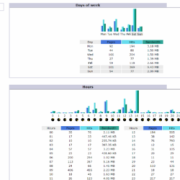
Отчёт: география и посещаемость сайта
Отчёт в графической форме показывает объём посещений сайта adminer.org, в динамике, с привязкой к географическому размещению активных пользователей данного сайта.
Отчёт доступен для сайтов, входящих в TOP-100000 рейтинга Alexa. Для всех остальных сайтов отчёт доступен с некоторыми ограничениями.
Alexa Rank – рейтинговая система оценки сайтов, основанная на подсчете общего количества просмотра страниц и частоты посещений конкретного ресурса. Alexa Rank вычисляется исходя из показателей за три месяца. Число Alexa Rank – это соотношение посещаемости одного ресурса и посещаемости прочих Интернет-порталов, поэтому, чем ниже число Alexa Rank, тем популярнее ресурс.
Adminer Pro — Features
Features taken from SQL script
Most of the features are parsed directly from the SQL script. This concept saves the time to create the database and the administration interface — most instructions need to be written only once.
- USE — Database to connect to
- GRANT — User and password used for connecting to the database
- SET CHARACTER SET — Character set used in the interface
- REVOKE — Forbids individual operations on the tables (displaying, inserting, editing, deleting)
- CREATE TABLE — Table creation with titles in COMMENT
- INDEX, UNIQUE — Sorting, uniqueness of records
- AUTO_INCREMENT,
No external dependencies
No external libraries or frameworks are needed to run the administration interface. Generated code is a plain PHP easy to modify and ready to deploy on the client server.
Character set and languages
Internal character set of Adminer is UTF-8 and the output can be converted to any character set supported by Iconv. Data in the database can be stored in any collation. Administration interface can run in English and Czech or in both languages switchable from the interface.
Design
Design of the administration interface can be easily customized by the editation of CSS or by postprocessing the generated code. All generated HTML and even PHP code can be customized.
Password protection
Access to the administration interface can be protected by a username and password either fixed or read from a custom table. All passwords are stored as MD5 or SHA-1 hashes, optionally with HMAC protection.
Table references
If a column refers to an other table then the default column of a target table is displayed. In editation, it is displayed as a drop-down menu. Tables used for the M:N relations are displayed as a list of checkboxes or multiple . If there are other columns in the joining table they can be edited as well. If the table is dependent on other table, it can be edited in an or directly with other fields of parent table.
Data types
All data types are recognized. E.g. date column can be edited as a simple text-box, calendar or separate parts for year, month and day. The bool type is displayed as checkbox, numeric data types are validated for its range, enum and set types are supported too. Each field can be marked with the attribute to denote that the result should not be HTML escaped.
Tables and columns access control
Any table can be completely hidden from the administration interface by REVOKE SELECT statement. Insertion, editation and deletion can be restricted the same way. Any column can be hidden from the interface by not providing a title for it. From a listing, it can be hidden by the attribute and editing can be forbidden by the instruction.
Constraints
All columns with the NOT NULL attribute has to be inputed. The DEFAULT value of all columns is respected. Insterted values are checked against the CHECK constraint.
Table sorting
Most administration interfaces offers sorting of the table by any column. This kind of sorting can be however very slow without indexes and is not able to sort the table e.g. first by type and then by the name. Adminer allows sorting the table by its natural indexes which eliminates both disadvantages. Any index can be mark as non-sorting and next sorting orders can be added beside natural indexes. One column can be marked as manual order — values in this column are maintained to hold numbers from one to the total number of items.
Searching
Most administration interfaces allow searching for a value in all columns. Adminer goes further in this — any column can be searched with any operator, single column can be used more than once in searching (greater than 1000 and less than 2000). Fulltext indexes are also respected.
About
phpMyAdmin is a free software tool written in PHP,
intended to handle the administration of MySQL
over the Web. phpMyAdmin supports a wide range of operations on MySQL and
MariaDB. Frequently used operations (managing databases, tables,
columns, relations, indexes, users, permissions, etc) can be performed via the
user interface, while you still have the ability to directly execute any SQL statement.
phpMyAdmin comes with a wide range of documentation and users are welcome to
update our wiki pages to share ideas and
howtos for various operations. The phpMyAdmin team will try to help you if
you face any problem; you can use a variety of support channels to get
help.
phpMyAdmin is also very deeply documented in a book written by one of the developers
– Mastering phpMyAdmin for
Effective MySQL Management, which is available in English and .
To ease usage to a wide range of people, phpMyAdmin is being translated into 72 languages and supports both LTR
and RTL languages.
phpMyAdmin is a mature project with a stable and flexible code
base; you can find out more about the project and its history and the awards it earned. When the project turned 15, we published a celebration page.
The phpMyAdmin project is a member of Software Freedom Conservancy. SFC is a not-for-profit organization that helps promote, improve, develop, and defend Free, Libre, and Open Source Software (FLOSS) projects.
Features
- Intuitive web interface
- Support for most MySQL features:
- browse and drop databases, tables, views, fields and indexes
- create, copy, drop, rename and alter databases, tables, fields and
indexes - maintenance server, databases and tables, with proposals on server
configuration - execute, edit and bookmark any
SQL-statement, even
batch-queries - manage MySQL user accounts and privileges
- manage stored procedures and triggers
- Import data from
CSV and
SQL - Export data to various formats:
CSV,
SQL,
XML,
PDF,
ISO/IEC 26300 —
OpenDocument Text and Spreadsheet,
Word,
LATEX
and others - Administering multiple servers
- Creating graphics of your database layout in various formats
- Creating complex queries using Query-by-example (QBE)
- Searching globally in a database or a subset of it
- Transforming stored data into any format using a set of predefined
functions, like displaying BLOB-data as image or download-link - And much more…
Latest News
- 2020-03-21: phpMyAdmin 4.9.5 and 5.0.2 are released
- 2020-01-08: phpMyAdmin 4.9.4 and 5.0.1 are released
- 2019-12-26: phpMyAdmin 5.0.0 is released
- 2019-12-26: phpMyAdmin 4.9.3 is released
- 2019-11-22: phpMyAdmin 5.0.0-rc1 is released
Анализ поисковых запросов сайта
Приведённый выше отчёт по частотности использования поисковых запросов, может быть использован оптимизаторами сайта при составлении его семантического ядра и подготовке контента т.н. «посадочных страниц». Статистика поисковых запросов — обобщённая сгруппированная информация по «обращениям» пользователей к поисковой системе по ключевым запросам (фразам).
В большинстве случаев, наш сервис показывает уже сгруппированную информацию, содержащую не только подборку самых популярных слов (фраз), но и словосочетания + синонимы. Собранная в данном разделе статистика показывает по каким «ключевым словам» (поисковым запросам) пользователи переходят на сайт adminer.org.
Поисковый запрос – это слово или словосочетание, которое пользователь вводит в форму поиска на сайте поисковой системы, с учётом автоподбора и автоматического исправления в поиске ошибочного набора.